




In today’s digital age, a portfolio website is essential for students, especially those studying BCA. It’s a great way to showcase your skills, projects, and achievements. A portfolio website acts as your online resume. Employers and clients can easily see your work and know more about you. Let’s learn how to create one step by step.
Why Do You Need a Portfolio Website?
- Showcase Your Skills: It’s a platform where you can display your technical skills like coding, designing, or problem-solving.
- Stand Out: A portfolio sets you apart from other candidates during interviews or freelancing opportunities.
- Networking: It helps you connect with professionals in your field.
- Opportunities: Recruiters often prefer candidates who have a visible body of work.
What to Include in Your Portfolio Website?
- Homepage
- A simple introduction about yourself.
- Include a clear and professional photo.
- Add a short tagline, such as “Aspiring Web Developer” or “BCA Graduate with a Passion for Coding.”
- About Me
- Write a brief description of who you are.
- Mention your education, interests, and goals.
- Keep it friendly and professional.
- Skills
- List all your technical skills like programming languages, tools, and frameworks.
- Use icons or progress bars to make it visually appealing.
- Projects
- Showcase the best projects you’ve worked on.
- Include details like the technology stack used, challenges faced, and outcomes.
- Add links to live demos or GitHub repositories.
- Resume
- Provide a downloadable version of your resume.
- Keep it up-to-date.
- Contact Me
- Add your email address and phone number.
- Link your social media profiles like LinkedIn or GitHub.
- Use a contact form for convenience.
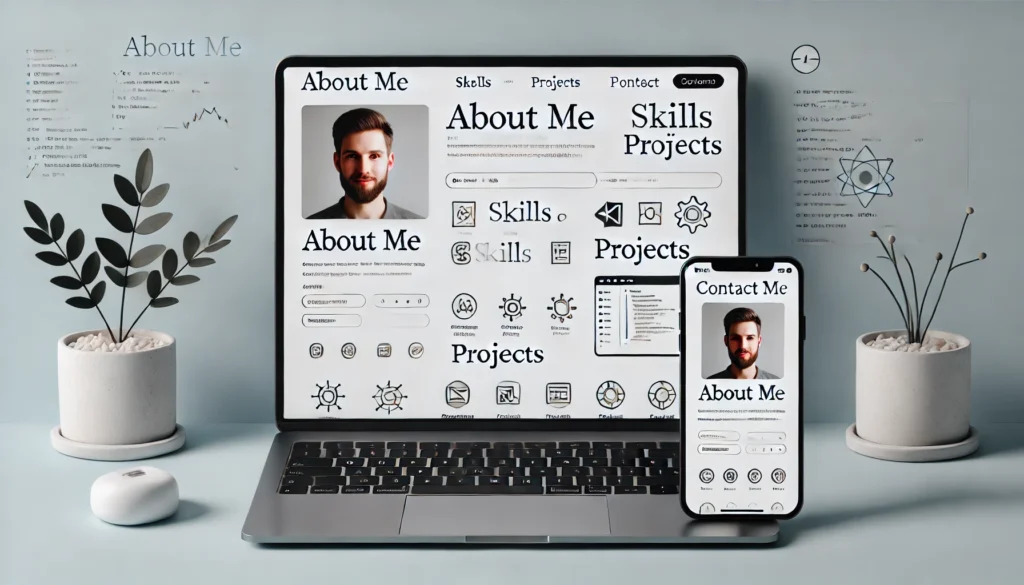
Steps to Build Your Portfolio Website
- Choose a Domain Name
- Pick a domain name that matches your name, e.g., yourname.com.
- Use affordable platforms like GoDaddy or Namecheap to register it.
- Select a Hosting Service
- Host your website on platforms like Bluehost, Hostinger, or GitHub Pages.
- GitHub Pages is free and great for beginners.
- Pick a Website Builder or Code It Yourself
- Use website builders like WordPress, Wix, or Squarespace for ease.
- If you enjoy coding, create it from scratch using HTML, CSS, and JavaScript.
- Design Your Website
- Choose a clean and professional layout.
- Use tools like Canva or Figma to plan your design.
- Ensure your site is mobile-friendly.
- Add Your Content
- Write clear and concise text for each section.
- Use high-quality images.
- Link your projects and social profiles.
- Test Your Website
- Check how your website looks on different devices.
- Fix any broken links or formatting issues.
- Launch and Share
- Publish your website online.
- Share the link on LinkedIn, job applications, or with potential clients.
Tips for a Great Portfolio Website
- Keep It Simple: Avoid clutter. Make navigation easy.
- Use Professional Photos: High-quality images leave a good impression.
- Show Personality: Write in a tone that reflects who you are.
- Regular Updates: Keep adding new projects and skills.
- SEO Optimization: Use keywords so people can find your site easily.
Final Thoughts
Building a portfolio website may seem like a big task, but it’s worth it. Start small and add to it as you learn new things. Your portfolio will grow with your skills. It’s an investment in your future.
Remember, the first step is always the hardest, but every great developer starts somewhere. So, take that step today and build a portfolio website you can be proud of!
Good luck! 😊
Read Our Latest Blog
Top Career Opportunities After a BCA Degree
Phone Number: +91-7488456170
Email ID: abhishek@eepl.me
Our Platforms:
Digilearn Cloud
EEPL Test
Live Emancipation
Follow Us on Social Media:
Instagram – EEPL Classroom
Facebook – EEPL Classroom
Stay connected and keep learning with EEPL Classroom



