Introduction to Python
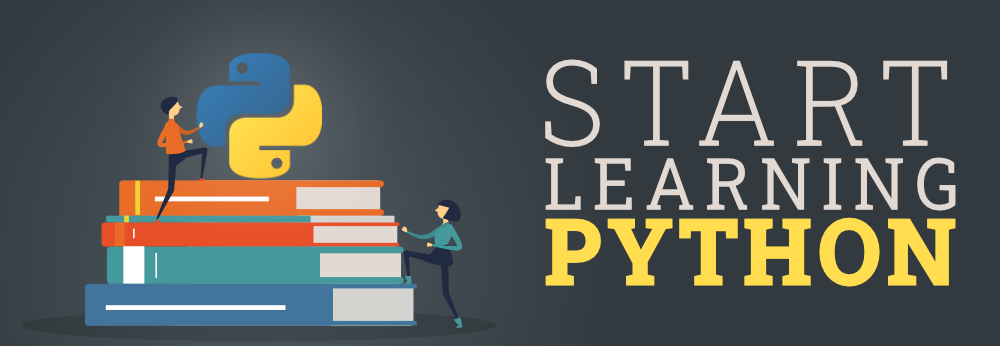
Python is a high-level programming language that has gained immense popularity since its inception in the late 1980s. Created by Guido van Rossum and released in 1991, Python was designed with a focus on code readability and simplicity. Its underlying philosophy emphasizes the importance of clear and understandable code, making it an excellent choice for individuals embarking on their programming journeys. As a result, Python has become a predominant language in web development, data analysis, artificial intelligence, scientific computing, and more.
One of the key features of Python is its extensive standard library, which provides modules and functions that facilitate various programming tasks. This comprehensive library allows beginners to easily access tools they need without extensive configuration or setup. Additionally, Python’s syntax closely resembles the English language, lowering the barrier to entry for new programmers who may feel overwhelmed by more complex languages. The language also supports multiple programming paradigms, including procedural, object-oriented, and functional programming, providing a flexible platform for all types of developers.
The benefits of learning Python for beginners are numerous. Firstly, its user-friendly nature fosters a supportive learning environment, allowing novices to quickly understand critical programming concepts. Furthermore, a vibrant community surrounds Python, offering abundant resources such as tutorials, forums, and libraries. This community support simplifies the initial stages of programming, enabling beginners to seek help and share their experiences effortlessly. Importantly, Python’s application in diverse fields means beginners can find practical use for their skills shortly after they start learning. Overall, Python serves as an ideal entry point for aspiring programmers, equipping them with the necessary skills to thrive in the constantly evolving tech landscape.
Setting Up Your Python Environment
To embark on your journey into the world of Python programming as a beginner, the first step is setting up your Python environment. This process encompasses the installation of Python, selection of an appropriate integrated development environment (IDE) or text editor, and verification of your installation. Python is compatible with various operating systems, including Windows, macOS, and Linux. Each OS has its own installation nuances, but the core installation steps remain relatively consistent.
Initially, you will need to download the Python installer from the official Python website. For Windows users, it is advisable to choose the executable installer, while macOS and Linux users can utilize package managers such as Homebrew or apt. Once you have downloaded the installer, follow the on-screen instructions. Ensure that you check the box that adds Python to your system’s PATH, as this will allow you to run Python from the command line effortlessly.

After installation, selecting an IDE or text editor is crucial for beginners. Popular choices include PyCharm, Visual Studio Code, and Jupyter Notebook. Each of these tools offers distinct features; for instance, PyCharm provides excellent debugging tools, while Jupyter Notebook is ideal for data analysis and visualization. Your choice will largely depend on your personal preference and the specific needs of your projects.
Once you have installed Python and chosen an IDE, the final step is to verify that your installation was successful. This can be accomplished by opening your command line interface and typing python --version or python3 --version. If the installation was successful, the version number of Python should be displayed. This fundamental setup is vital for getting started as a Python programmer. By ensuring everything is correctly installed, you will be poised to begin your programming journey confidently.
Basic Python Concepts
For those getting started with Python programming, a firm grasp of basic concepts is essential to building a strong foundation. One of the first concepts to learn is the use of variables. Variables serve as storage for data, enabling programmers to label and reference values conveniently. In Python, variables are dynamically typed, meaning that you do not need to declare the type of variable explicitly. For example, assigning a number to a variable can later allow that variable to hold a string without issue.
Another key aspect involves understanding data types. Python has several built-in data types, including integers, floating-point numbers, strings, and boolean values. Each data type serves its purpose, and knowing when to use each one is vital for effective programming. For instance, strings can be manipulated using various methods, while integers and floats are utilized for mathematical operations.
Operators also play a significant role in Python programming. There are arithmetic operators (like addition and subtraction), relational operators (such as greater than or equal to), and logical operators (including AND and OR), all of which allow for complex expressions and evaluations. Control structures, which include conditional statements like if-else, enable programmers to dictate the flow of a program based on certain conditions, making decisions based on the data being processed.
Loops are another fundamental concept in Python. They allow for repeating actions without the need to code the same line multiple times. The two main types of loops are ‘for’ and ‘while’ loops. Functions encapsulate reusable blocks of code, making programming more organized and modular. Each of these elements is integral to the Python programming language, especially for beginners who wish to write efficient and clear code.
Writing Your First Python Program
As you embark on your journey into the world of Python programming, writing your first program is an exciting and essential step. The primary goal of this exercise is to familiarize beginners with the fundamental syntax and structure of Python code. To begin, you will utilize a simple print statement, which is often the first line of code any aspiring programmer writes. This statement is used to display information on the screen.
Start by opening your Python environment, which can be an Integrated Development Environment (IDE) or a simple text editor. Type the following line of code:
print("Hello, World!")This command instructs Python to output the text “Hello, World!” to the console. Once you have entered the code, save your work and execute it. If everything is done correctly, you should see the message appear. This straightforward exercise not only introduces you to output but also instills confidence in getting started with Python.
Next, it’s essential to understand how to gather input from users. This can be accomplished using the input() function. Here’s an example:
name = input("What is your name? ")print("Hello, " + name + "!")In this snippet, the program prompts the user for their name and then responds with a personalized greeting. By mastering these initial commands—output and input—you are laying the groundwork for more complex programs.
As you write your code, you may encounter common errors, such as syntax mistakes or indentation issues. Such problems are part of the learning process, and troubleshooting these errors aids in developing critical programming skills. Pay close attention to error messages, as they often provide clues about what went wrong. By carefully analyzing the feedback and making the necessary adjustments, you’ll gain a deeper understanding of both Python and programming conventions.
Read Our Latest Blog
Blockchain Technology: The Future of Secure Transactions
For More Information and Updates, Connect With Us
Name Abhishek
Phone Number: +91-7488456170
Email ID: abhishek@eepl.me
Our Platforms:
Digilearn Cloud
EEPL Test
Live Emancipation
Follow Us on Social Media:
Instagram – EEPL Classroom
Facebook – EEPL Classroom
Stay connected and keep learning with EEPL Classroom!